Fleet Compliance · VLTD Guide
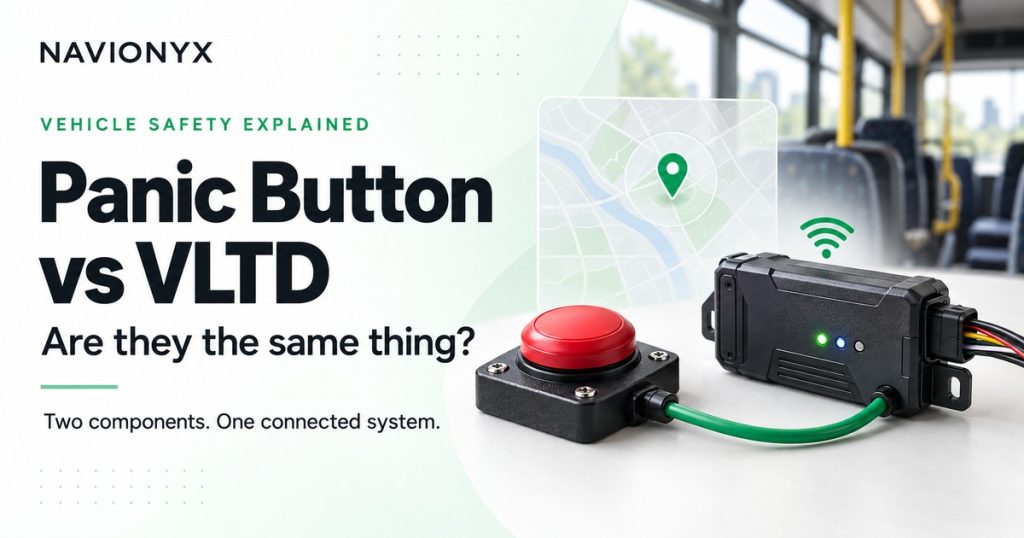
People ask for panic button installation or VLTD installation. For a public service vehicle, it is one job. Here is why.
By Navionyx Team · October 2026 · 6 min read
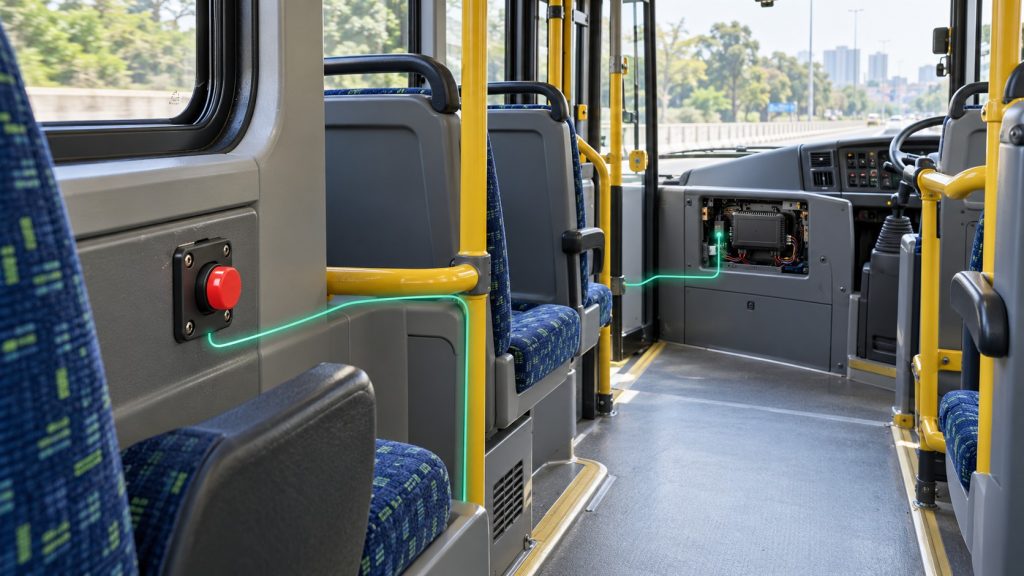
Call a few installers and you will hear two different requests for the same work. Some owners ask for a panic button. Others ask for a VLTD. Many assume these are two separate devices with two separate fitments. They are not. The VLTD panic button is part of one system, fitted in one job and recorded on one certificate.
If you already know you need the fitment, our page on AIS 140 panic button installation covers the process. This guide explains how the two pieces connect, what the mandate actually asks for, and why fitting a standalone SOS button will not get your vehicle through an RTO check.
What Is a VLTD and What Is a Panic Button?
The two terms describe different parts of the same setup.
| VLTD | Panic button | |
|---|---|---|
| Full name | Vehicle Location Tracking Device | Emergency button, also called SOS button |
| What it is | An AIS 140 tracking device fitted inside the vehicle | A button placed where passengers or crew can reach it |
| What it does | Sends the vehicle’s live location and alerts to the backend | Tells the VLTD that someone needs help |
| Works on its own? | Tracks location, but the mandate also requires emergency buttons | No. It needs the VLTD to send the alert anywhere |
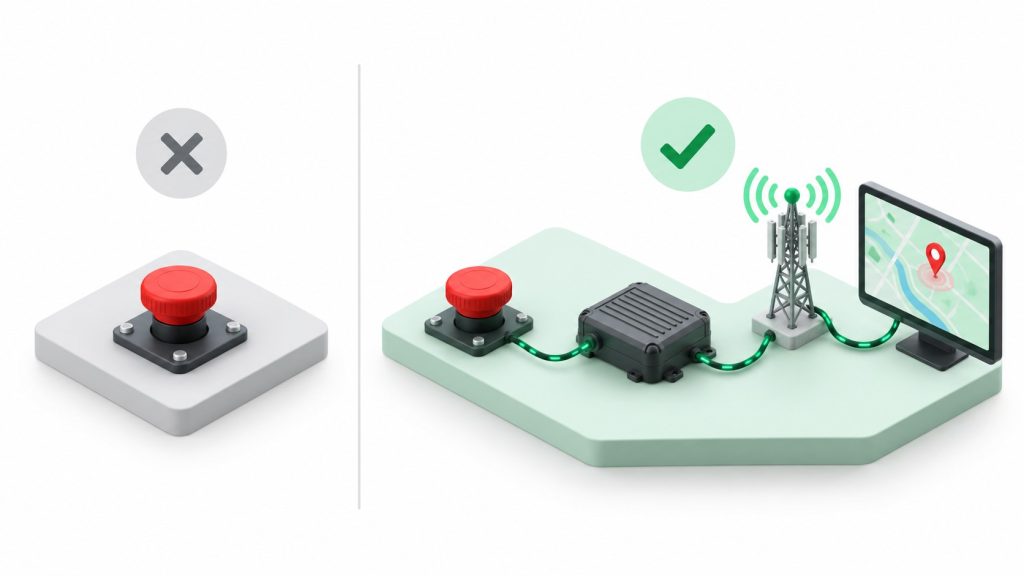
Think of the VLTD as the messenger and the panic button as the trigger. The trigger without the messenger reaches nobody. The messenger without the trigger does not meet the rule.
How the Panic Button and the VLTD Work Together
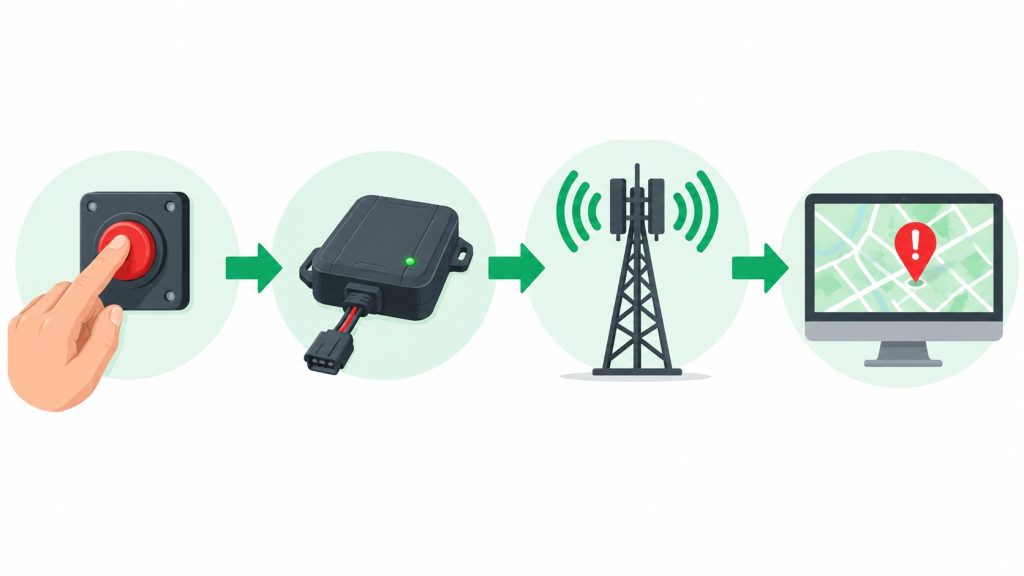
When someone presses the emergency button, the sequence looks like this:
1. Press. A passenger, driver or attendant presses the button.
2. Signal. The button signals the VLTD it is connected to.
3. Send. The VLTD sends an emergency alert along with the vehicle’s location over its mobile data connection.
4. Respond. The alert reaches the state backend, where it can be acted on, while the vehicle’s live location keeps updating.
Every step depends on the one before it. This is why the panic button is never sold or certified as a separate gadget. Its value comes entirely from the device it is connected to and the backend that device reports to.
What the VLTD Panic Button Mandate Requires
The requirement comes from Rule 125H of the Central Motor Vehicles Rules. It requires public service vehicles to be fitted with a vehicle location tracking device and one or more emergency buttons, both meeting the AIS 140 standard. The rule applies to vehicles registered from 1 January 2019, and state transport departments set their own timelines and checks for older vehicles.
Notice how the rule is written. It does not ask for a panic button as one item and a tracker as another. It asks for a tracking device with emergency buttons, as one system. That is the clearest answer to the panic button vs VLTD question.
Who is generally covered
Public service vehicles such as taxis, cabs, buses, school buses and other passenger carrying vehicles. Two wheelers, e rickshaws and three wheelers are generally exempt. Your state transport department may add its own conditions, so always check the local rules for your vehicle category.
For category specific detail, read our guides on panic buttons in yellow board taxis and panic buttons in school buses.
What One Installation Includes
Because it is one system, a proper fitment covers everything in a single visit:
✓ AIS 140 VLTD. The tracking device, fitted and connected to vehicle power.
✓ Emergency buttons. Placed where the people who need them can reach them. The number of buttons depends on the vehicle type and seating layout.
✓ Activation and mapping. The device is activated and mapped to your vehicle number on the state backend.
✓ Fitment certificate. One certificate that records both the VLTD and the emergency buttons.
That single certificate is what people often call the panic button certificate. We explain what is printed on it and how officers verify it in our guide to the panic button certificate.
Why a Standalone SOS Button Does Not Satisfy the RTO
Plenty of SOS buttons are sold online and in local markets. Some sound a buzzer, some call a phone number, some send a text message. None of these meet the mandate on their own, for three reasons:
No AIS 140 device. The rule asks for emergency buttons as part of an AIS 140 tracking device, not a separate gadget.
No backend connection. A standalone button is not mapped to your vehicle on the state backend, so the alert never reaches it.
No valid certificate. Without an AIS 140 fitment, there is no fitment certificate to show at the RTO.
The result is money spent on a button, followed by a second spend on the full VLTD fitment if the RTO rejects it. If your vehicle needs to comply, start with the full system.
VLTD Panic Button Installation Near You
Backend systems and RTO checks vary a little from state to state. Our VLTD installation page lists every state we cover. If your vehicle is registered in Kerala, go straight to VLTD installation in Kerala for local details.
Conclusion
Panic button and VLTD are two names for parts of one system. The VLTD panic button only works when the button, the AIS 140 device and the state backend are all connected, and the mandate asks for exactly that. So whether you ask for panic button installation or VLTD installation, you need the same single job: one fitment, one activation, one certificate.
Need the full VLTD and panic button fitment?
Navionyx fits AIS 140 VLTDs with emergency buttons, activates them on the backend and helps you get your fitment certificate ready for the RTO.
Chat With Our Team →